
How Nigerian Traders Can Use TradingView Effectively
Explore how Nigerian traders can set up and optimize TradingView 📊 with broker integration, custom scripts, and smart strategies for better trading results.
Edited By
Sophie Clarke
TradingView has become a go-to platform for traders and investors worldwide, including Nigerians looking to navigate local and international financial markets. For Nigerian traders, implementing TradingView effectively means more than just accessing charts — it involves tailoring the platform’s powerful features to suit the Nigerian market realities and trading environment.
At its core, TradingView is a web-based tool that offers real-time data, advanced charting, and a community-driven environment where users share analysis and strategies. Nigerian traders gain an edge by using its customisable technical analysis tools and integrating local broker accounts, providing a more seamless trading experience.
To get the most from TradingView, Nigerian users must understand both the platform’s capabilities and how to adapt them for ₦-denominated assets, the nuances of Nigerian equities, FX pairs relevant to the naira, and commodity prices like oil and cocoa.
Key steps to implement TradingView successfully include:
Setting up a TradingView account tailored to Nigerian needs: This involves choosing the appropriate subscription level and connecting accounts to local brokers like GTBank Securities or Meristem.
Customising charts and indicators: Nigerian markets often require specific indicators such as RSI or MACD to spot entry points in volatile stocks or naira forex movements.
Using alerts and watchlists: Alerts can notify traders of price movements in Nigerian equities or commodities, enabling quick decisions amid market swings.
Integrating with local brokers: Many Nigerian brokers now support TradingView’s API or linking features. This helps traders execute orders without switching platforms.
These features enable Nigerian traders to act quickly on market trends, especially important given the FX market’s occasional sharp swings and NSE’s fluctuations.
In this guide, you will learn practical ways to set up TradingView, customise it for the Nigerian market, and avoid common challenges like data lags or naira exchange rate discrepancies. By mastering these steps, Nigerian traders can improve their strategy execution and investment outcomes.
Getting started with TradingView is the foundation for Nigerian traders seeking to harness this platform's versatile market analysis tools. Understanding how to set up a reliable account and navigate the interface can drastically improve your trading efficiency and decision-making. Especially for traders operating in the local markets—such as the Nigerian Stock Exchange (NGX) or cryptocurrency platforms—getting these basics right ensures smooth access to real-time data and tailored alerts crucial for fast-moving markets.
Signing up and verifying your account is the first step. You need a verified TradingView account to access real-time Nigerian market data and advanced charting capabilities. The signup process involves providing a valid email address or using a social media login option. Verification typically requires confirming your email, which protects your account and enables secure password recovery. For Nigerian traders, it’s key to use an email you frequently access, as TradingView sends important updates and alerts that could affect your trades.
Choosing the right subscription plan for Nigerian traders means weighing your trading frequency and the type of markets you follow. TradingView offers a free tier that’s good for beginners who trade occasionally or want to learn technical analysis on a budget. However, active traders, especially those focusing on NGX equities, forex, or cryptocurrencies like Bitcoin on Nigerian platforms, will benefit from paid plans — Pro, Pro+, or Premium. These provide multiple chart layouts, advanced indicators, and faster data refresh rates, which are crucial when market moves happen within minutes. Considering Nigeria’s occasional internet interruptions, these upgraded plans help you avoid delays and missed opportunities.
The dashboard layout and navigation on TradingView are designed for ease without sacrificing power. When you log in, you’ll find the chart window takes centre stage, surrounded by toolbars for selecting chart types, drawing tools, and indicators. Nigerian traders can customise this layout so their preferred markets—such as Nigerian equities, forex pairs like USD/NGN, or commodity prices—are front and centre. This tailored setup reduces the clutter and helps keep focus where it matters most.
Customisable watchlists and alerts are particularly useful features for traders managing multiple assets or strategies at once. For example, you could monitor the shares of Dangote Cement, MTN Nigeria, and global instruments simultaneously. Alerts can be set to notify you when a stock price hits a certain level or when a technical indicator signals a potential trade, freeing you from constantly monitoring the screen. This is vital for Nigerian traders who may face power cuts or need to attend to other business activities alongside trading.
Getting your TradingView account ready and learning the layout isn’t just a preliminary chore — it’s setting yourself up for smart, well-timed trades in Nigeria’s dynamic markets.
By mastering these initial steps, you lay the groundwork to use TradingView confidently, whether you’re analysing charts, following news, or linking your broker account to execute trades smoothly.

Customising your charts and applying technical indicators are vital steps when trading with TradingView, especially for Nigerian traders. These tools help you make sense of price movements and market trends in a way that suits your trading style. Instead of relying on guesswork, customisation gives you control over what you see and how you analyse it, improving your chances of making smart trades in the volatile Nigerian and broader markets.
The type of chart you use affects how you interpret market data. Candlestick charts are the most popular among traders for good reasons—they show the open, close, high, and low prices within a set period, giving you a clear snapshot of market sentiment. For example, if you notice a long lower wick on a candlestick for a company like MTN Nigeria, it may signal buying pressure after a dip, hinting at a possible price rebound. Line charts are simpler and connect closing prices over time, which might appeal to beginners or those looking at broader trends without clutter. Meanwhile, bar charts offer a middle ground, showing open and close prices along with highs and lows but with less visual flair than candlesticks.
Choosing the right timeframe is crucial since it aligns with your trading strategy. If you are a day trader in Lagos looking to catch quick moves on the NSE, shorter timeframes like 5-minute or 15-minute charts will be more useful. Conversely, long-term investors focusing on stocks like Dangote Cement might prefer daily, weekly, or even monthly charts to understand larger trends without overreacting to short-term noise. Picking a timeframe that matches your approach helps avoid confusion and keeps your decisions clear and focused.
Technical indicators are essential for reading Nigerian market conditions, where price movements can be influenced by local events like election cycles or fuel subsidy changes. Popular indicators such as the Moving Average Convergence Divergence (MACD) and Relative Strength Index (RSI) are widely used on TradingView. The MACD helps you spot momentum shifts, which is useful during ember months when market activity picks up. The RSI shows overbought or oversold conditions, which can alert you early to potential reversals in shares like Access Bank or Nestlé Nigeria.
Overlays like Bollinger Bands adjust automatically to price volatility, assisting traders in monitoring stocks known for sudden moves, like Guaranty Trust Bank during economic announcements.
Meanwhile, drawing trendlines, support, and resistance levels on charts provides a personal roadmap for market behaviour. For example, a trendline connecting lower lows in Nigerian Breweries shares can highlight a downtrend, signalling caution. Support levels mark price points where buyers historically step in, such as ₦80 for certain blue-chip stocks, while resistance points act as ceilings where sellers tend to emerge. Identifying these levels helps you plan entry and exit points wisely, reducing risk and improving your trading accuracy.
TradingView’s chart customisation and technical tools allow Nigerian traders to tailor their analysis dynamically, adapting with market changes for better decision-making.
By mastering customisation and technical analysis on TradingView, you position yourself to respond faster and more accurately to market signals, increasing your chances of profit while managing losses effectively.
Connecting TradingView with Nigerian brokers is a game-changer for traders who want to streamline their workflow. Rather than toggling between platforms, you can analyse markets and execute trades from a single interface. This integration bridges the gap between charting and trading, saving time and reducing errors — especially crucial when market conditions move fast.
A growing number of Nigerian brokers now support TradingView integration, though not all platforms offer this feature yet. For example, reputable firms like Trove and Bamboo allow Nigerian traders to link their TradingView accounts for seamless trading across local and international markets. These brokers provide APIs compatible with TradingView's trading panel, letting you send orders directly from the charts.
It's practical for traders to confirm broker compatibility before committing funds. Many brokers list TradingView support explicitly on their platforms or websites, while others may require manual setup through API keys. Knowing which brokers fit your trading style and offer this integration helps you plan investments without interrupting your technical analysis flow.
To connect your broker account to TradingView, you generally need to follow a few clear steps. First, sign up with a broker that supports TradingView trade execution. Then, navigate to TradingView’s trading panel, select the broker from the list, and enter your broker login credentials or API key. After confirming, your TradingView and broker accounts link up, enabling direct order placement.
Remember that some brokers may require two-factor authentication or extra verification to secure the connection. Also, always ensure you use trusted internet connections when linking accounts to avoid security risks.
TradingView’s trading panel lets you place trades without leaving the platform. Say you spot a breakout pattern on your chart; you can immediately enter a position by clicking ‘Buy’ or ‘Sell’ inside TradingView. This feature works with supported brokers, accelerating execution speed, which matters when seconds count in volatile markets.
Additionally, the panel helps you set stop-loss and take-profit orders on the spot, so you manage risk without switching apps. This immediacy is especially valuable for day traders who need swift responses to market movements.
Beyond placing trades, the panel allows you to manage open positions and pending orders conveniently. You can view your current exposure, modify order sizes, or cancel pending orders directly on TradingView’s interface. For example, if you notice a sudden price reversal, you can adjust your stop-loss quickly without jumping over to your broker’s website.
Monitoring your trades in one place also makes it easier to track performance over time. The visual overview helps you remain organised, avoid missing important trades, and respond faster to changing market conditions.
For Nigerian traders, integrating TradingView with local brokers offers a practical edge by combining powerful technical analysis with efficient trade execution, all within a unified platform.
This integration cuts down the stress of juggling different platforms, making your trading journey smarter and more responsive to real-time market opportunities.
Navigating TradingView as a Nigerian trader comes with its own set of unique challenges and opportunities. Troubleshooting common issues and adopting best practices can significantly enhance your trading experience, boost efficiency, and save you from costly errors. Practical knowledge on managing platform glitches, internet hiccups, and adapting to local market constraints will keep you ahead.
Internet connectivity and platform speed issues often disrupt seamless trading. Nigeria’s internet can be patchy, especially in remote areas or during peak hours in cities like Lagos or Abuja. Slow connections cause delays in chart updates or trade executions, which may lead to missed opportunities or poor decision-making. Traders using mobile data frequently experience network drops, so having a stable broadband or fibre connection can improve responsiveness.
To mitigate these problems, consider lowering the chart resolution when your internet slows or disable some of the heavier real-time data feeds. TradingView’s offline mode also helps reviewing saved charts during downtimes. Simple tools like switching browsers or clearing cache can improve platform speed too.
Handling data access limitations for Nigerian market assets is another issue. Many Nigerian stocks or assets may not appear with full data on TradingView due to incomplete market feeds from the Nigerian Stock Exchange (NGX) or absence of local broker integration. This can leave traders without real-time price action, making technical analysis harder.
A practical workaround is pairing TradingView with local broker portals for live prices or subscribing to market data vendors who specialise in Nigerian equities. Also, joining active trading communities can provide supplementary data and charts better tailored for Nigerian securities. This approach helps bridge the gap until data availability improves.
Setting alerts to manage trading activities saves time and keeps you focused on opportunities. Instead of sitting glued to your screen, you can program alerts for price levels, indicator signals, or trendline breaches. These alerts notify you via email, SMS, or app pop-ups. For instance, you might set an alert when a stock like MTN Nigeria hits a support level, so you don’t miss the chance to buy or sell.
Alerts allow you to manage multiple charts efficiently, especially during the ember months when market volatility increases. They reduce emotional trading by basing decisions on pre-defined criteria.
Utilising community scripts and ideas on TradingView exposes you to tested strategies and customised indicators developed by other traders globally and locally. Some Nigerian traders share scripts for forex pairs like USD/NGN or commodities relevant to our economy.
Exploring these shared tools can introduce fresh perspectives or time-saving shortcuts without reinventing the wheel. However, always backtest community scripts on practice accounts before deploying real funds.
Keeping up with market news relevant to Nigeria is vital since local events influence asset prices greatly. TradingView’s news feature or integration with financial news portals can help.
For example, new CBN monetary policies, local fuel subsidy changes, or political developments can cause sudden market shifts. Being up to date on these lets you adjust your trading strategy proactively. Combining chart analysis with news flow creates a more complete picture of market movements.
Consistent troubleshooting paired with smart use of alerts and community resources ensures you get the most out of TradingView, even with Nigeria’s tech constraints and market quirks.
By mastering these challenges and tips, Nigerian traders can confidently navigate TradingView for strong trading performance and better investment decisions.
Explore how Nigerian traders can set up and optimize TradingView 📊 with broker integration, custom scripts, and smart strategies for better trading results.
Explore how Nigerian traders can master TradingView 📈 with custom tools, broker integration, and smart charting techniques for better trading decisions.
🇳🇬 Nigerian traders: Master TradingView with Deriv! Learn setup, features & strategies to boost market analysis and trading decisions effectively 📊💡
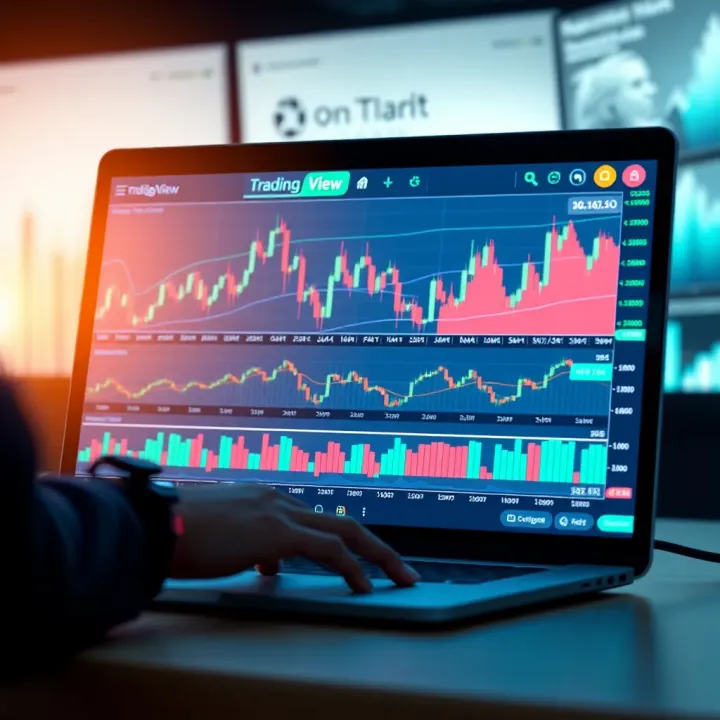
📈 Explore TradingView’s top features, tools, and community benefits tailored for Nigerian traders. Learn usage tips, account types, and pricing insights!
Based on 8 reviews