
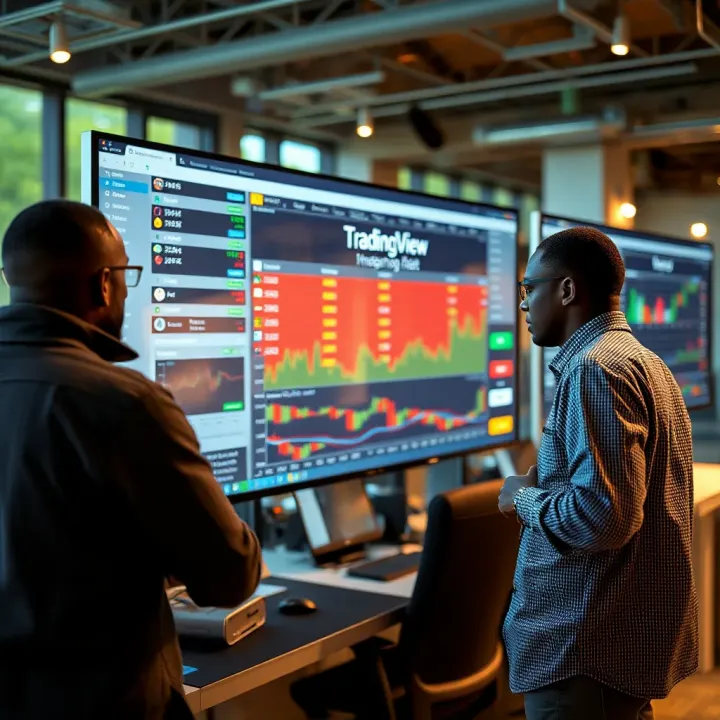
Complete TradingView Guide for Nigerian Traders
Explore TradingView's features, tools, and tips 📊 to boost your trading skills in Nigeria 🇳🇬. Learn customization, market analysis, and community insights.
Edited By
Isabella Hughes
TradingView has become a cornerstone for many traders and investors looking to analyze markets with precision and ease. But not everyone can—or wants to—pay for its premium services right away. That’s where TradingView Free steps in. For Nigerians navigating the bustling world of stocks, forex, or cryptocurrencies, understanding what the free version offers is key to making the most of this tool.
This article is here to break down exactly what you get with TradingView Free, the perks it brings, and where it falls short compared to the paid plans. From handy charting tools to user-friendly interfaces and social features, we’ll cover what matters most so you don’t end up scratching your head or missing out on opportunities.
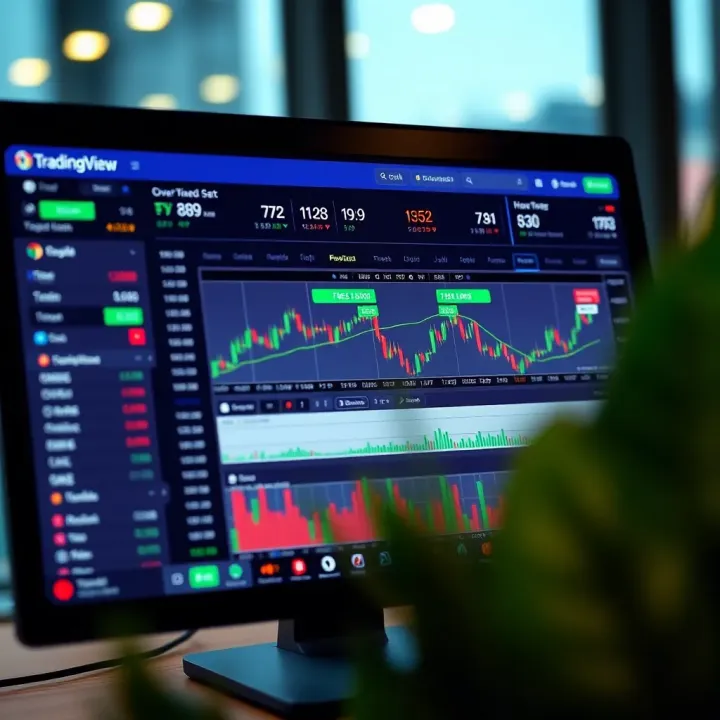
Whether you’re a newbie learning the ropes or a seasoned trader trying to cut costs without losing functionality, knowing these details helps you decide if the free version fits your trading style or if it’s time to upgrade. We’re going to dive right in, keeping it practical and relevant to your trading journey in Nigeria’s markets.
Remember, even without a subscription, TradingView's free tools pack a decent punch for those ready to explore and learn trading dynamics on a budget.
Starting out with TradingView is a sensible move for any trader or investor looking to navigate the financial markets without shelling out for expensive software. This section sheds light on what TradingView brings to the table, especially focusing on the free version — a powerful tool that packs quite a punch despite its no-cost tag.
TradingView's platform is renowned for its intuitive design and extensive charting capabilities, which cater well to beginners and seasoned traders alike. It offers an accessible platform where users can visualize stocks, forex, cryptocurrencies, and more all in one place. Since many traders in Nigeria and beyond struggle with costly or complicated software, TradingView Free has emerged as a practical solution, making market analysis approachable without breaking the bank.
Understanding how the free version works and what it offers is key before diving in. It’s not just about saving money but making sure the tool fits specific trading needs. For instance, if you’re tinkering with learning technical analysis or seeking community-based ideas, the free plan might suffice. On the flip side, traders needing deep market data or advanced alerts should know the trade-offs involved. This foundation will help you appreciate the rest of the article, grasping both the benefits and the limitations of TradingView’s free tier.
TradingView stands out as a web-based charting and social networking site for traders and investors. Its core strength lies in offering interactive charts combined with technical indicators, drawing tools, and the ability to publish trading ideas. Unlike traditional desktop software, TradingView operates on the cloud, which means you can access your settings and charts from anywhere—be it your office computer or your phone during a market break. This flexibility is a big plus.
One practical example: if you spot a trend on the Nigerian Stock Exchange and want to share your insight, TradingView’s platform facilitates this easily by letting you broadcast your analysis to peers worldwide. Being part of this sharing culture amplifies learning and trading sharpness.
TradingView has risen steadily in popularity, attracting millions from global markets to local hubs like Nigeria. Its appeal isn’t just because it’s free or easy to use; it’s also due to the vibrant community and wealth of data it offers. Nigerian traders especially appreciate how TradingView provides access to various instruments including US, Nigerian, and other African securities, plus cryptocurrencies which are hugely popular locally.
For example, a Lagos-based trader might use TradingView to follow forex pairs during off-exchange hours, while simultaneously monitoring stocks listed on the Nigerian Exchange Group (NGX). This versatility combined with a localized user base discussion forum makes it a go-to platform in Nigeria’s trading scene.
The free version of TradingView allows users to tap into real-time charts, a decent range of technical indicators, and a slew of drawing tools. This means you’re not starting from scratch but rather equipped enough to analyze price action and spot trading setups. While there are limits—like the number of indicators per chart and the count of saved layouts—the essentials are all there for hands-on market study.
Additionally, free users can access public ideas and scripts shared by others in the community, which is a valuable resource for learning without extra cost. For instance, if you want to understand moving averages or Bollinger Bands better, you can find scripts or explanations right on the platform.
TradingView Free fits best for casual traders, beginners, and students who need solid tools without upfront expenses. It’s ideal if you're still testing the waters, learning the ropes of chart reading, or looking for social insights without committing to a paid plan.
Imagine you’re a university student in Abuja curious about how global markets move—you can track various assets and try building watchlists without spending a dime. However, if you’re a day trader needing instant alerts or multiple charts open at once, the free version might feel cramped.
The takeaway: TradingView’s free version isn’t a one-size-fits-all solution but a robust starting point that lets you explore markets deeply before considering an upgrade.
With this clear groundwork, you’re better prepared to assess whether TradingView’s free offering matches your trading style or if you need to explore supplementary tools or paid options down the line.
Starting off with TradingView Free is a must if you aim to use this platform efficiently without spending a dime. This section lays out all you need to begin, from signing up to navigating your way through the user interface. Being comfortable with these basics can save a pile of time and frustration, especially when you're trying to catch quick market moves or analyze trends on the fly.
Signing up on TradingView Free is pretty straightforward, even for someone who's not a tech wizard. First thing, head over to the website where you’ll see the sign-up button. Clicking it takes you to a simple form asking for your email, a username, and password. Alternatively, you can quickly sign up using Google, Facebook, or Apple accounts, which cuts down the hassle if you want in quick.
You'll receive an email to verify your account—don't skip this part because it activates your profile. After confirming, you're officially in the TradingView community. This process keeps your account secure and personal.
Once logged in, it’s good to tweak your account settings early on. Under your profile, you can set options like timezone, preferred currency, language, and more. For Nigerian traders, setting your timezone correctly is crucial, so the charts reflect your local trading hours accurately.
Notifications are part of this too. You can decide whether you want email alerts about market events or reports. Checking your privacy options helps you control who sees your public activity and ideas, keeping things just the way you want them.
When you first log into TradingView, the dashboard might look bustling, with charts, watchlists, news feeds, and social posts all in one place. At the top, you have the search bar to look up specific stocks, forex pairs, or cryptocurrencies. To the left, the sidebar usually contains your watchlist and alerts.
The main chunk in the center is the chart area – that's where the meat of analysis happens. Despite the amount of info, the layout is pretty clean once you get used to it. Think of it like having your trading desk with everything within arm’s reach.
Getting to the charts is as simple as typing the ticker symbol or trading pair into the search bar. Once selected, a new chart pops up right in the center of the screen. You can open multiple charts in tabs if you want to compare different assets side by side.
Charting tools are tucked on the left and top edges of the chart window. Here, you’ll find pencils for drawing trendlines, icons for adding technical indicators, and tools for measuring price movements. The indicators menu is friendly—just click "Indicators," and you get a list of free options like Moving Average, RSI, and MACD.
> Getting comfortable with the interface early saves you from scrambling during live trading. Spend a little time exploring these tools before you dive into serious analysis.
In short, the getting started phase in TradingView Free sets the foundation for smooth, informed trading. It might feel a bit overwhelming at first, but with a little practice, it feels like second nature. This beginner-friendly approach is what makes TradingView popular, not just worldwide but also right here in Nigeria.
When you're starting out in trading or just want to explore charting without spending a dime, getting a grip on TradingView's free features is a good place to begin. This section digs into the tools available without needing a paid plan, showing how they can help you analyze markets, keep an eye on your favorite instruments, and receive alerts — all vital for making informed decisions.
TradingView's free version strikes a balance between offering enough features for meaningful analysis and limiting access to premium tools. For Nigerian traders especially, this means you can test strategies or monitor markets without burning through your budget, but it also means knowing what’s free and what isn’t is key to maximizing your setup.
TradingView Free provides several chart types, making it flexible for traders who want to look at data from different angles. You get access to classic chart types like candlesticks, bars, and line charts, which are staples in any trader's toolkit.
Candlestick charts are especially popular because they provide a visual story of price action, showing open, close, high, and low values for each session. For example, a trader monitoring the Nigerian stock market might find candlestick charts useful to spot reversal patterns. Bar charts give a similar view but with a slightly different visual style, which might appeal to those used to traditional charting software.
Other options like area charts or Heikin Ashi gives you smoothed price trends without the noise, handy when you want less distraction. But some fancy chart styles—like Renko or Point & Figure—are locked behind paid plans, which is something to keep in mind if you discover you need more advanced views later.
The free version comes with around 30 technical indicators, which include most of the essentials traders use regularly. You'll find common ones like Moving Averages (MA), Relative Strength Index (RSI), and Bollinger Bands, each helping you track momentum, identify overbought or oversold conditions, and assess volatility.
For instance, if you’re trading forex pairs like USD/NGN or later naira cross assets, applying RSI can quickly tell if a currency is likely to correct soon. Moving Averages, on the other hand, help smooth out price action and can highlight trend directions or possible support/resistance zones.
While you can add multiple indicators, there’s a cap on how many can appear on the same chart, usually up to three in the free version. This means you need to pick carefully and combine indicators that complement rather than clutter your analysis.
Keeping track of multiple stocks, forex pairs, or cryptocurrencies without a simple way to monitor them is a pain, right? TradingView Free lets you create watchlists where you add all the tickers you want to monitor -- think of it like your personal market watch shelf.
You can create multiple watchlists based on sectors or asset types, for example, one list for Nigerian stocks and another for global tech stocks. This setup helps you jump quickly between markets without losing focus.
The interface is straightforward: just enter the ticker symbols—like MTN, Dangote Cement, or Bitcoin—and they’ll appear with real-time (or slightly delayed) pricing right on your dashboard. This keeps you in the loop without switching apps.
Alerts are a handy way to catch market moves without staring at charts all day, but the free version limits their use. You can set up only one active alert at a time, which covers basic notifications like price crossing a certain level.
For example, you could set an alert for when Naira/USD hits a certain target price. But if you want to track alerts based on complex criteria or multiple simultaneous alerts, you’ll need to upgrade.
Some advanced alert options—like alerts on indicators crossing or custom-built conditions—are premium features. This means if you trade actively and want to catch every setup, relying solely on free alerts might feel a bit cramped.
While TradingView Free provides solid basics, knowing these feature limits helps you plan whether to stick with the free tools or slowly move into paid plans as your trading needs grow.
Overall, the charting and alert features on TradingView Free give Nigerian traders a powerful starting block—flexible enough to learn, test, and monitor, without being overloaded with features you don’t need yet. Getting familiar with these tools can improve your trading clarity and confidence before advancing to more complex setups.
When using TradingView’s free version, understanding what data and markets you can access is a big deal. It’s not just about having a blinking chart or some lines on the screen—it's about whether that info truly reflects what’s going on in real markets. For Nigerian traders, especially those starting out or trading on a budget, knowing the limits and possibilities here helps avoid surprises when making decisions.
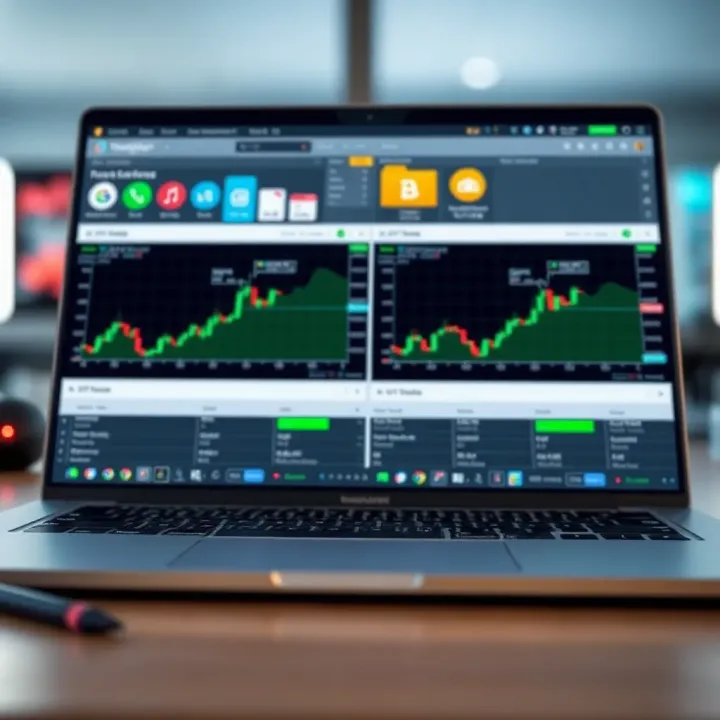
TradingView’s free version offers access to a wide range of markets, but not everything is live or immediate. Generally, free users can view major stock exchanges such as the New York Stock Exchange (NYSE) and NASDAQ, plus some international markets like the London Stock Exchange. However, some niche or less popular markets might not be included.
For Nigerian traders, this means you can track popular US stocks like Apple or Tesla, or forex pairs like EUR/USD, but perhaps not direct access to the Nigerian Stock Exchange (NSE) in real time. This limitation doesn't mean traders can't analyze those markets; they just might experience delays or need to supplement with other sources.
Data delays and updates are important to keep in mind. Free accounts typically see data with delays ranging from 5 to 20 minutes depending on the market. For example, if you’re checking currency prices or crypto trends, the prices might lag behind live feeds. This delay impacts intra-day trading decisions, so traders looking for instant data should be cautious. However, for swing traders or those studying broader trends, this lag is often manageable.
Keep in mind: if timing is everything in your trades, relying solely on delayed free data may cost you. Use it as part of a bigger picture, not the only source.
The free version covers a variety of trading instruments. Stocks from major exchanges, forex pairs, and popular cryptocurrencies like Bitcoin, Ethereum, and Litecoin are available to view and analyze. This variety allows traders to experiment and diversify without additional cost.
However, there are limits on market depth, meaning free users won’t see all the layers of buy and sell orders that show how prices might move shortly. Think of it like looking at a map that shows only major highways but missing the smaller streets and alleys. Without this deeper insight, predicting sudden price moves can be tricky.
For example, a trader watching Bitcoin's price might know the current ask and bid but can’t see all pending orders or big blocks waiting in line. This restricts how finely you can gauge market momentum on short notice.
Despite these limitations, free users still get valuable tools and data to perform solid technical analysis, which is more than enough for many Nigerian traders starting their journey or testing new strategies without spending money upfront.
To sum it up, TradingView Free offers a good variety of market data and instruments, but the usual trade-offs apply: some data delays and less market depth. Understanding these helps you decide whether the free plan fits your trading style or if investing in a paid tier is necessary.
Choosing the right trading platform can make or break a trader's experience, especially when starting out in Nigeria's growing but cost-sensitive market. TradingView Free offers several advantages that make it stand out, especially for traders who need reliable tools without a heavy price tag. Understanding these benefits helps traders make an informed choice about whether this platform fits their needs.
One of the biggest draws of the free version of TradingView is that it puts powerful charting and analysis tools right in your hands without any charge. For Nigerian traders, this means you don’t need to break the bank to access features like multiple chart types, a variety of technical indicators, and the option to look at forex, stocks, and crypto markets. Imagine a newbie stock trader in Lagos examining candle patterns and volume trends on the Nigerian Stock Exchange without paying a dime for software—that’s a game changer.
Not everyone can fork out cash for expensive market data and analysis software, especially when you're still figuring out your trading strategy. TradingView Free serves as a practical stepping stone. It gives beginners the chance to explore, learn, and grow their skills using real market data without upfront costs. Instead of stressing about software fees, traders can focus on understanding market movements and testing strategies. This is particularly important because many Nigerian traders start with small capital pools and need their tools to fit that reality.
Trading in isolation can be tough; having access to a community where ideas are shared openly can radically improve your trading edge. Even on the free plan, Nigerian traders get to browse ideas and strategies posted by countless other traders worldwide. These public scripts and trade ideas range from simple moving average crossovers to complex algorithmic strategies. It's like sitting in a virtual marketplace buzzing with shared know-how, new insights, and occasional yet helpful debate.
Being able to follow seasoned traders or market analysts is an underrated feature. With TradingView Free, you can follow profiles of experts who post continuous market commentary and forecasts. For example, a Nigerian day trader might follow an analyst who specializes in forex pairs like USD/NGN or EUR/USD, gaining practical insights without paying a premium. This feature helps users keep a finger on the pulse of markets and spot trends early.
Understanding and leveraging these benefits of TradingView Free empowers Nigerian traders to gain market experience, expand their knowledge base, and make better-informed decisions without financial strain. It’s a solid foundation, especially for those starting or testing the waters in trading.
While TradingView’s free version offers a solid range of tools and features valuable for many traders, it's important to keep in mind certain limitations that can affect how you use the platform. For traders in Nigeria, knowing these restrictions will help set realistic expectations and plan your trading workflow accordingly. The free version is great for beginners and casual analysis but might fall short for heavy-chart users or those requiring advanced functionalities.
One clear constraint is the number of technical indicators you can use per chart. The free plan limits users to just three indicators on a single chart. This might sound enough, but when you want to combine various moving averages, oscillators, or volume indicators to refine your strategy, this cap can quickly feel restrictive. For example, a day trader who likes using RSI, MACD, and Bollinger Bands simultaneously will hit the limit and might need to stick to a simpler approach or toggle indicators on and off manually.
Another notable limit involves the absence of premium alerts and stock screener filters. The free tier does provide some basic alerting tools, but they are restricted in number and functionality. Crucially, you won't get access to advanced alerts like multiple condition alerts or alerts on indicators and drawing tools. Also, without premium screener filters, narrowing down stocks based on specific financial metrics or patterns is less efficient. For Nigerian traders looking to scan the Nigerian Stock Exchange quickly for specific setups, this can be a downside.
Users of the free plan should expect to see ads appearing on the platform. While not overly intrusive, these ads can disrupt the overall smoothness of the experience, especially if you’re focusing intently on charts or ideas. Ads help TradingView keep its free offering sustainable but might be a minor annoyance when compared to a clean interface in the paid versions.
Lastly, the platform limits the number of charts and saved layouts you can work with simultaneously. Free accounts typically allow just one chart per layout and up to one saved layout. This restriction means you cannot monitor multiple markets side by side easily, or recall complex setups across different assets quickly. For example, if you follow forex and Nigerian stocks, you’d have to switch between saved layouts or recreate charts often, which can eat up time and lead to missed opportunities.
For traders serious about multi-asset monitoring and in-depth analysis, these usage limits point clearly to when an upgrade might be needed.
Understanding these limitations helps ensure you don’t get caught off-guard and can find workarounds or decide when it’s a good moment to explore premium plans for more flexibility.
When weighing the value of TradingView’s free service, it's essential to understand what sets it apart from the paid subscriptions. For many traders, especially those starting out or managing a tight budget, the free version offers enough tools to get a decent feel and perform basic analysis. However, as your trading skills grow or your strategy demands more complexity, the difference between free and paid plans becomes clearer.
Paid plans are designed to provide enhanced capabilities that make charting, screening, and alerting more powerful and customizable. Comparing free and paid versions helps traders decide if upgrading will add value worth the cost, especially in a fast-moving market environment like forex or cryptocurrency where every second and data point counts.
TradingView offers several paid tiers: Pro, Pro+, and Premium. Each level adds more features and fewer limitations.
Pro tier allows multiple charts per layout and more saved chart layouts, which means you can monitor more markets at once without switching tabs constantly.
Pro+ increases the number of indicators per chart and allows more alerts, useful if you’re following multiple conditions or strategies simultaneously.
Premium is for serious traders who want the highest limits on alerts, charts, and indicators, plus access to exclusive features like extended historical data.
These paid plans help traders save time and make more informed decisions by removing many restrictions that free users face.
One practical example: A Pro user can set up to 10 alerts, whereas the free user gets only one. This can be the difference between missing a price breakout and catching it early.
Paying for TradingView unlocks tools that aren't available for free, such as:
More simultaneous indicators per chart: Instead of just 3 with the free plan, Pro+ and Premium let you use up to 25, handy for complex technical analysis.
Custom time intervals: Premium users can define custom time frames beyond the standard ones.
Priority customer support: Paid plans include faster help when you run into issues or questions.
No advertisements: The experience is cleaner and less distracting.
These features are a big help if you trade multiple assets or use advanced strategies that require flexibility.
The free version starts feeling tight when you hit its limits often or your trading setup grows more complex. Here are some signs that it’s time to consider an upgrade:
You find yourself constantly waiting or refreshing charts because of the limited number.
Needing more than one alert to catch different signals and price levels.
Wanting access to realtime data on exchanges that free users can only get with delay.
Using multiple indicators or technical studies simultaneously, and feeling restricted.
If your trading workflow is held back by tool limits, it’s a clear sign to weigh the paid options.
Paid plans add some handy tools, for instance:
Bar Replay: Lets you practice or backtest strategies by replaying historical price action candle by candle.
Volume Profile indicators: Useful for understanding buy and sell zones more precisely.
Multi-language alerts: Useful if you want alerts sent with customized messages.
Enhanced screener filters: Paid plans offer advanced stock and crypto screeners to catch trade ideas faster.
For example, a trader focusing on Nigerian stocks listed on the NSE might find advanced screening and real-time alerts essential to capitalize on short-term market swings.
In sum, the decision to upgrade boils down to how intensive your trading demands are and whether the free features still serve your goals well. Consider your trading style and objectives, then match them with the capabilities of each plan before committing financially.
Making the most out of TradingView Free isn't just about knowing where to click—it's about tailoring the platform to fit your trading style and learning from the community around you. This section zeroes in on practical tips that help you work smarter, not harder, whether you're analyzing Nigerian stocks, forex, or crypto markets. By tweaking your workspace and tapping into what others share, you can squeeze more value from the free tools available.
Optimizing chart layouts
Setting up your chart the right way can save tons of time and reduce confusion when markets get hectic. TradingView Free lets you arrange charts simply but effectively. For example, you might prefer a single large chart during detailed analysis or split your screen into two if you’re tracking a forex pair alongside a commodity like crude oil. Customize your timeframes and apply default indicators such as Moving Averages or RSI to speed up your review. Even with a free account, adjusting colors and scale formats ensures that your charts are easier on the eyes during long sessions.
Using templates effectively
Templates are a fantastic shortcut to apply your favorite setups swiftly. Instead of fiddling with each chart from scratch, save your configurations—like indicator combos or specific drawing tools—that you return to frequently. For instance, if you regularly watch Nigeria’s stock market indexes, create a template loaded with volume indicators and Bollinger Bands for quick access. Templates keep your workspace consistent and help prevent missing something important due to layout changes. Make sure you label them clearly, so switching between different trading styles or asset classes happens without a hitch.
Learning from published scripts and insights
One of TradingView’s standout perks is the vast library of user-shared scripts and trading ideas. These are like gold mines for traders who want fresh perspectives or tailored tools without coding a line themselves. Feel free to look up scripts tagged for Nigerian markets or popular pairs in forex. For example, constants in the community might create a custom oscillator that highlights entry points under certain conditions. Use these scripts as inspiration or as part of your analysis toolbox, but remember to backtest anything new before relying on it fully.
Active participation in chat and forums
Engaging with others in TradingView’s chat rooms and forums can speed up your learning curve tremendously. It's a place to ask questions, debate market moves, or even share your own findings. Whether it's a query about the best free indicators or discussing local economic events impacting prices, being active connects you to collective knowledge. In Nigeria, where localized market news sometimes moves markets sharply, these chats provide real-time insights that just don't show up on charts immediately. Participation also pushes you to be disciplined and objective in your approach, because you’re sharing public analysis.
TradingView Free offers plenty if you’re willing to customize your approach and plug into its active community—two things that often separate cautious dabblers from confident traders.
Implement these tips, and you’ll find the free version feels less like a stripped-down tool and more like a sharp, dependable platform that suits your everyday trading needs.
TradingView Free is popular among traders, especially beginners and hobbyists, but it naturally raises a bunch of questions. This section clears up some of the most common concerns to help you understand what to expect. Knowing the answers helps avoid surprises and makes sure you’re making the best use of the platform within its limits. For example, traders new to intraday strategies might want to know if the free version can keep up with live trading demands or if they’d hit a wall with data delays. Similarly, understanding the mobile experience is crucial for those on the go who want to monitor markets without lugging around a laptop.
Data is the backbone of any trading platform. TradingView’s free version generally provides accurate data, but there's a catch: it often comes with a slight delay. For real-time trading, even a few seconds of lag can change the game. For example, during fast-moving forex sessions or volatile cryptocurrency swings, that delay might mean you miss a good entry or exit point. While the data comes from reliable sources like NYSE, NASDAQ, and crypto exchanges, the free version doesn’t grant access to premium real-time feeds. Practical tip: if you’re trading less volatile markets like long-term equities, the delay is usually negligible. But for scalpers or day traders, consider whether this affects your strategy.
TradingView Free suits longer-term traders better because they’re less sensitive to small timing delays. If your approach involves holding positions for days or weeks, the slight lag in charts and indicators won’t make a significant dent. On the other hand, intraday traders, especially those scalping for quick profits, might find the free data too slow. For example, executing multiple trades in the span of minutes demands lightning-fast data updates and alerts. Upgrading to paid plans, which offer real-time access and more alerts, often becomes necessary for such traders. So, weigh your trading style before relying solely on the free version.
Yes, TradingView offers free mobile apps for both Android and iOS, making it easy to check charts and manage watchlists on the move. While the core features like charting, drawing tools, and basic alerts are available on mobile, the experience is slightly pared down compared to the desktop. For instance, the advanced customization and setting multiple charts side-by-side aren’t quite as smooth on smaller screens. Still, for quick checks or tracking your favorite stocks during a busy day, the mobile app does the job well.
Desktop users enjoy a fuller feature set on TradingView—from multiple chart layouts to a more responsive interface and heavier customization. For example, setting complex alerts or creating detailed watchlists is easier on a big screen with a mouse and keyboard. On mobile, such tasks can be fiddly and sometimes frustrating. Also, the free mobile app may show more ads compared to the desktop. This doesn’t stop you from getting good value, but if you spend a lot of time analyzing charts, the desktop site or app will be a better fit. Consider using both in tandem: desktop for deep dives and mobile for quick updates during the day.
For Nigerian traders, understanding these nuances helps balance cost and functionality, ensuring you pick the right tools for your specific trading style and environment.
By addressing these common questions, traders can better decide how TradingView Free fits into their toolkit and whether stepping up to paid plans or additional platforms is necessary.
Using TradingView Free alongside other trading tools brings more power and flexibility to your trading strategy than relying on one platform alone. While TradingView offers a strong set of charting and social features, it’s not uncommon, especially for Nigerian traders, to combine it with broker platforms or additional analysis tools for a more rounded approach. This complementing setup can help fill the gaps found in free versions and boost your overall trading confidence.
TradingView supports integration with some broker platforms allowing users to connect their TradingView charts directly to their brokerage accounts. Although this feature might be limited or reserved for premium users, free traders can still link their accounts with popular brokers like OANDA, FXCM, or Alpaca through available APIs when accessible. This integration means you can execute trades based on charts and analysis done inside TradingView without flipping between multiple interfaces.
Besides execution, this connectivity brings real-time syncing of positions and data, letting you see your live trades visually on TradingView’s charts. Nigerian traders using local brokers will notice variances in this support, but global brokers integrated with TradingView can be a smooth experience. Always verify if your broker offers such an integration, as real-time syncing can turn casual chart watching into actionable trading moments.
Syncing your TradingView charts with your broker account has several perks:
Streamlined Workflow: No need to copy trading levels or signals manually from TradingView to your broker dashboard, reducing human error.
Unified View: Access your open positions and orders directly on TradingView charts, making it easier to monitor trade performance visually.
Faster Reaction: Execute trades quickly when price hits critical technical levels or alerts, thanks to direct platform connection.
For example, a day trader in Lagos tracking the forex market could spot a breakout pattern on TradingView, instantly place the trade via the connected broker account, and watch the position’s progress—all without switching windows or devices.
Syncing charts and broker platforms can be the difference between missing out and capitalizing on quick market moves, especially in volatile markets.
Beyond TradingView, Nigerian traders often tap into free tools such as MetaTrader 4/5 (MT4/MT5), investing.com, and Yahoo Finance for additional charting, news, and analysis. MT4/MT5 packs features like automated trading through Expert Advisors, which TradingView Free lacks. Meanwhile, sites like investing.com offer live economic calendars and market news crucial for fundamental analysis, complementing TradingView’s mostly technical focus.
Additionally, mobile apps like Bloomberg and CNBC provide on-the-go updates, which some traders juggle along with TradingView charts for instant news reaction.
Think of TradingView as your primary charting hub, thanks to its intuitive interface, community scripts, and social aspect. It’s great for spotting patterns, sharing ideas, and technical groundwork. However, combining it with tools like MT4's automated strategies and real-time news services creates a fuller picture.
A Nigerian trader, for example, using TradingView for technical setups might check trading signals or Expert Advisors on MT5 to automate entry or exit. Meanwhile, cross-checking live economic events on investing.com helps avoid pitfalls during major announcements.
By weaving TradingView Free into a broader toolset, traders gain a blend of manual insight and automated precision without overspending on subscriptions. This balanced approach suits part-time traders or investors who need solid technical charts but can’t afford premium platforms.
Using TradingView Free alongside broker platforms or other analysis tools doesn’t just patch its missing features; it creates synergy. Combining these resources smartly means Nigerian traders can work smarter, not harder, improving decision-making and timing in markets that often move faster than one app can keep up with.
Security and privacy are fundamental concerns for anyone using an online trading platform, especially free ones like TradingView. When you’re dealing with sensitive information like trading strategies, account details, and personal data, having solid protections in place gives you peace of mind. For Nigerian traders, this becomes even more important given the rise in cyber threats and phishing scams targeting financial accounts.
TradingView Free offers a range of security features designed to protect users while maintaining easy access to the platform. Understanding these measures helps you safeguard your details and avoid potential risks. Equally important is being aware of what data TradingView collects, how it’s handled, and what control you have over your own information. This familiarity lets you use the free tools confidently, knowing your privacy isn’t compromised.
TradingView Free uses common security practices to protect your account during login. This includes secure password requirements and encrypted connections, which prevent attackers from intercepting your credentials. One practical tip is enabling two-factor authentication (2FA). This adds a second verification step — usually a code sent to your mobile or generated by an authenticator app — making it much tougher for hackers to breach your account even if they obtain your password.
Additionally, TradingView monitors suspicious activities, such as logins from unusual locations or multiple failed attempts, and may alert you to these. This proactive approach helps catch unauthorized access early. For Nigerian traders accessing the platform from public Wi-Fi spots, using 2FA is a must to avoid easy exploits.
TradingView clearly outlines what user data it collects and how it’s used in its privacy policy. This transparency is critical so users know what happens behind the scenes. For instance, the platform collects data to personalize your experience, improve services, and deliver relevant advertisements — something you’ll see occasionally even on the free version.
Understanding this policy helps you make informed choices, like whether to approve cookies or how to manage your notification settings. On top of that, TradingView commits to not selling your personal data to third parties, which is reassuring given how valuable user information can be. If you’re cautious about data, regularly reviewing this policy and updating your settings accordingly goes a long way.
TradingView collects basic details like your email, username, IP address, and device info upon registration and during platform use. It also tracks your interaction with charts, indicators, and social features to tailor suggestions and trend reports. For example, if you frequently check forex charts, the platform might push related content to your dashboard.
Knowing this, Nigerian users should avoid sharing overly sensitive information directly on TradingView’s public forums or social channels, as these are visible to other traders. Also, be mindful of how your data travels, especially if you switch between devices or share accounts.
A strong point of TradingView Free is the control it offers over your personal data. You can review, edit, or delete personal details within your account settings, or even close your account entirely if needed. Moreover, you can opt out of certain data uses like targeted ads through preference menus.
Being proactive with these settings helps ensure your data stays in your hands, reducing exposure to unnecessary tracking or marketing.
Practically, make it a habit to check your account’s privacy options and update your password regularly. If you have concerns about data retention, contacting TradingView’s support can clarify how long your data is stored and what your deletion rights are.
In summary, TradingView Free provides adequate security and privacy layers suitable for most users, including Nigerian traders who want to dip their toes into online charting without worrying about data leaks or account theft. Staying informed and making good use of login protections and privacy settings makes your trading experience safer and more comfortable.
Wrapping up, deciding whether TradingView's free version suits your trading needs depends a lot on what you want from the platform. For Nigerian traders juggling costs and tools, the free version gives a solid introduction to technical analysis without shaking your wallet. It provides enough features to learn, experiment, and track markets but expect some limitations if you need advanced tools or real-time data for more active trading.
TradingView Free offers no-cost entry into a comprehensive trading platform. You get access to multiple chart types and a handful of technical indicators which should suffice for those just starting or those who prefer a straightforward approach. However, note that some premium features like multiple alerts, custom indicators, or advanced screeners are locked behind paid tiers. There are ads, and the platform limits the number of saved charts and watchlists you can maintain. This setup works well if you don't need high-frequency alerts or deep market scans.
For beginners, TradingView Free is quite friendly. It introduces essential charting tools and a user community that provides insight and learning opportunities. Intermediate traders can also find value, especially if they focus on longer-term trades or supplement TradingView with other tools. But for seasoned pros or day traders needing minute-by-minute updates and multiple advanced features, the free version may feel a bit tight and could slow down decision-making.
Think about your trading style and goals. If you plan to simply observe markets, learn patterns, or do casual trades without rushing alerts, the free version fits well. But if you crave advanced indicators, custom alerts, or real-time data for fast trades, anticipate upgrading or looking elsewhere. Another angle is device usage; the free version works on phones and desktops but with some feature differences.
If you're new, just sign up and start exploring the charts and free indicators. Join public chats and follow experienced users to soak in ideas. Experiment with watchlists for your favorite stocks, forex pairs, or cryptocurrencies popular in Nigeria like BTC or NGN/USD forex rates. Keep an eye on usage limits—if you hit them, consider whether a paid plan makes sense or if sticking to basics is enough. Ultimately, freedom with no cost means you can grow your trading knowledge without pressure while evaluating what fits you best.
In a nutshell, TradingView Free is a worthwhile stepping stone, especially for Nigerian traders learning the ropes or testing strategies before committing resources.
Explore TradingView's features, tools, and tips 📊 to boost your trading skills in Nigeria 🇳🇬. Learn customization, market analysis, and community insights.
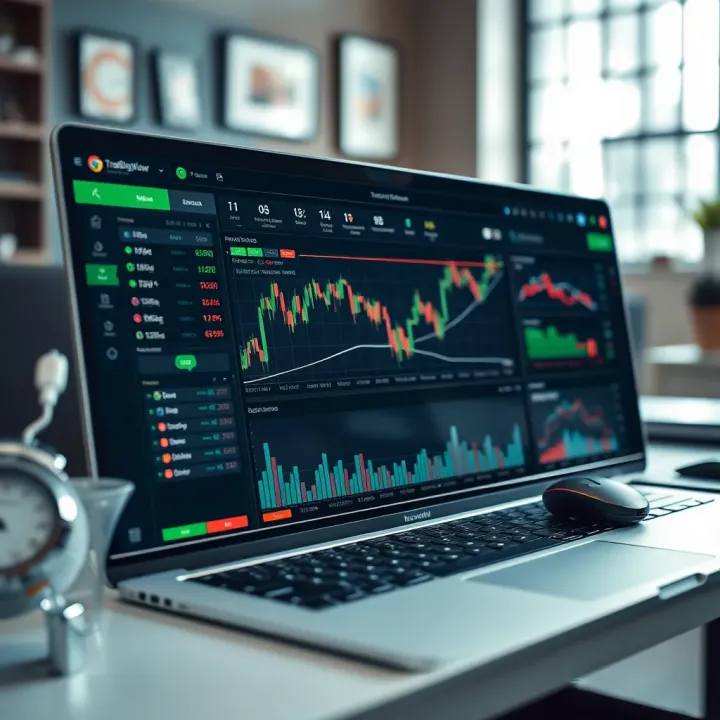
📈 Explore TradingView’s top features, tools, and community benefits tailored for Nigerian traders. Learn usage tips, account types, and pricing insights!
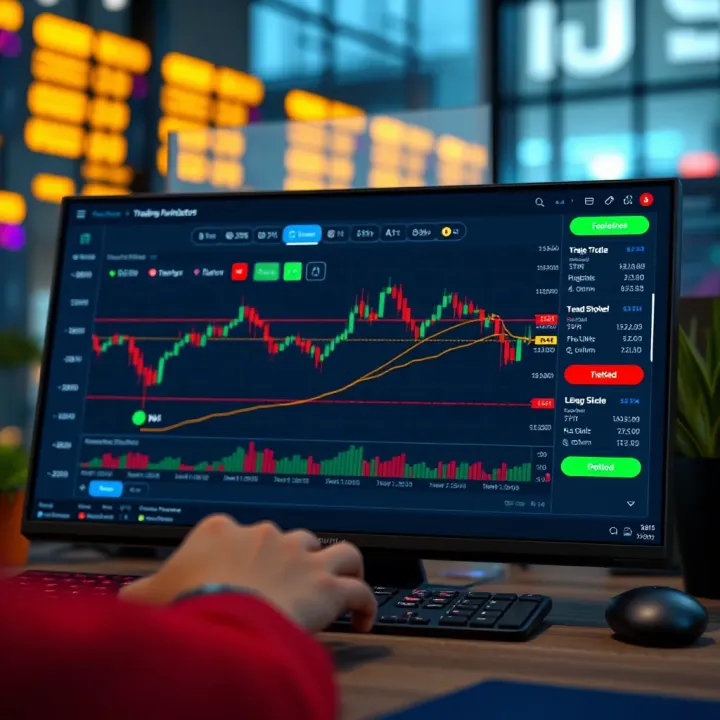
📈 Explore TradingView's features, chart tools, and community insights. Learn subscription plans, app use, and integration tips—ideal for Nigerian traders.
Compare TradingView📊 and Deriv.com💹 to find out which suits Nigerian traders best — features, tools, and ease of use explained clearly for your trading needs.
Based on 13 reviews